December brought several workflow improvements to the Find Boxes platform, designed to save you time and keep your projects organized. Here are the highlights.
Effortless Inventory Tagging
Tags help you bypass complex model names by grouping equipment under searchable terms.
- Instead of searching: Cisco Business CBS350-24S
- Simply search:
24port switch
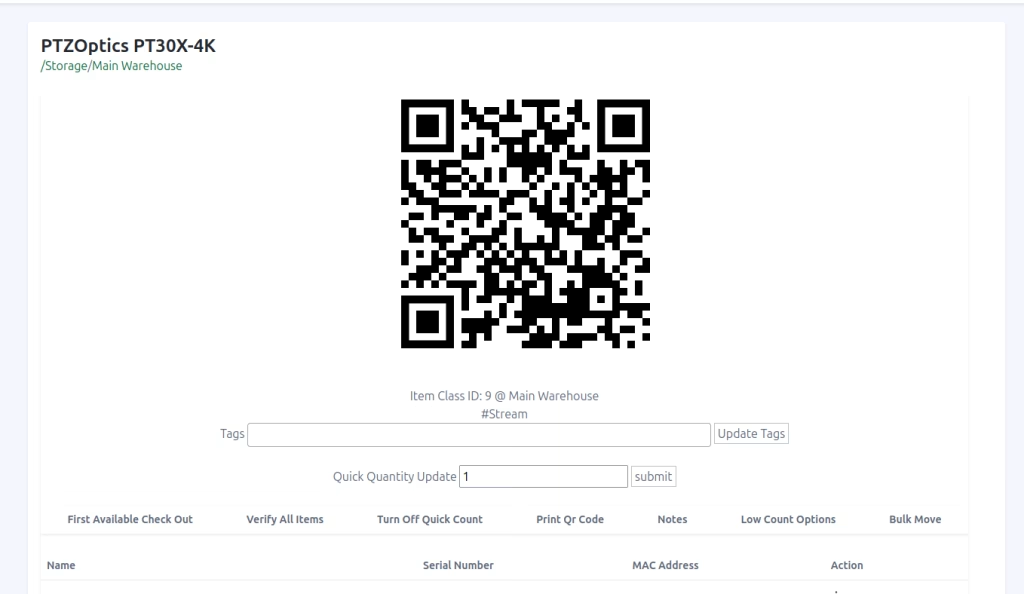
What’s New: Previously, tags could only be created in Settings. Now, you can create and apply tags directly from the Inventory Search and Item Category pages. This allows you to organize your gear the moment you think of a new category, without leaving your current task.
Tip: Use a single tag like
processorto group hardware like the Crestron CP3N and Crestron Pro3, making it easier for your team to identify equipment by function.
Direct Client Communication
You can now email clients directly from within Find Boxes—no more jumping back and forth between your inbox and your proposal.
- Integrated Threads: Start an email thread directly from the “Messages” link in a proposal’s options menu.
- Stay in the Loop: When a client replies, the message is forwarded to the thread and all contributing team members are notified instantly.
- Centralized History: Keep your project communication tied directly to the relevant proposal for better record-keeping.
Looking Ahead to 2026
2025 was a year of massive growth for Find Boxes, and we’re just getting started. If you’re looking for an inventory and project management platform built specifically for AV and IT pros, there’s no better time to join.